Equipment
FlightPro ProAviator review: suction, leg-strap, and yoke mounts
Why I recommend FlightPro’s modular iPad mounting system, with photos of the suction, leg-strap, and yoke configurations I used.
Grayson Bertaina · · 5 min read
The ProAviator system
I used the ProAviator suction mount, leg strap, and yoke mount. The modular system worked well for the mounting positions I wanted, and that flexibility is the main reason I recommend it.
The appeal is having a choice of where the iPad goes without committing to one mounting arrangement. The yoke, window, and lap positions each put the screen in a different place. ProAviator offers all three within the same product line, either individually or as a set.
I also appreciated the range of adjustment in the spring-loaded holders on the suction mount and leg strap. They accommodate a wide range of device sizes, which makes the system worth considering if you use more than one tablet or expect to change devices.
Source: FlightPro: ProAviator three-in-one set and included components
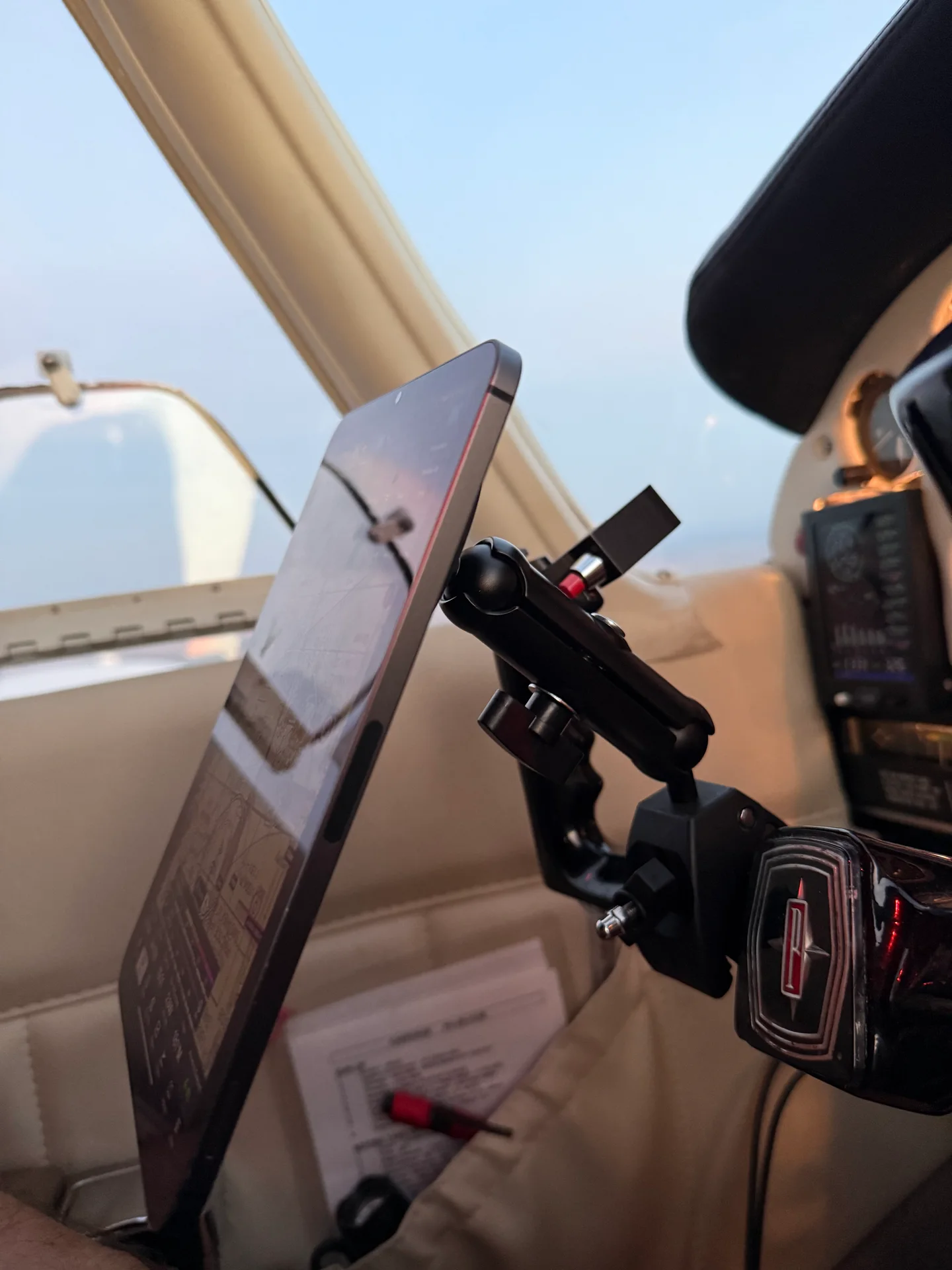
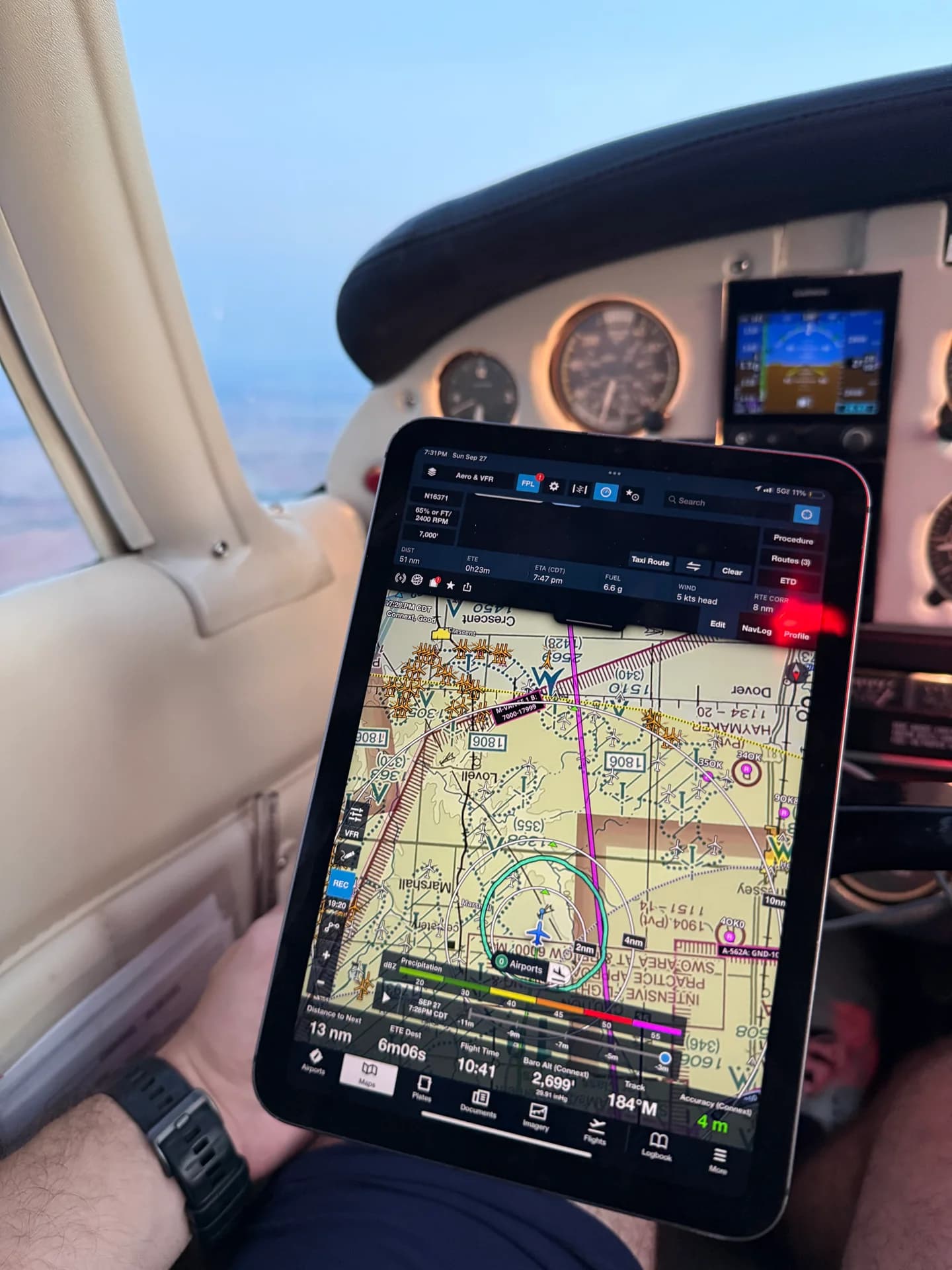
Yoke mount
The yoke mount places the iPad directly in front of the pilot. In my setup, the clamp and adjustable arm sit behind the tablet, with the chart facing me. The side-view photo shows the arrangement more clearly than the view from the seat.
I would consider this option first for someone who prefers the tablet centered rather than beside the window or on a leg. The adjustable arm gives the holder some separation from the clamp, allowing a choice of screen position and angle.
The specific yoke and clamp combination still matters. Because the assembly moves with the flight control, its weight, cable routing, and clearance through full control travel deserve attention. Those are reasons to select the right configuration for the airplane, rather than assume every yoke mount fits every cockpit.
Suction mount
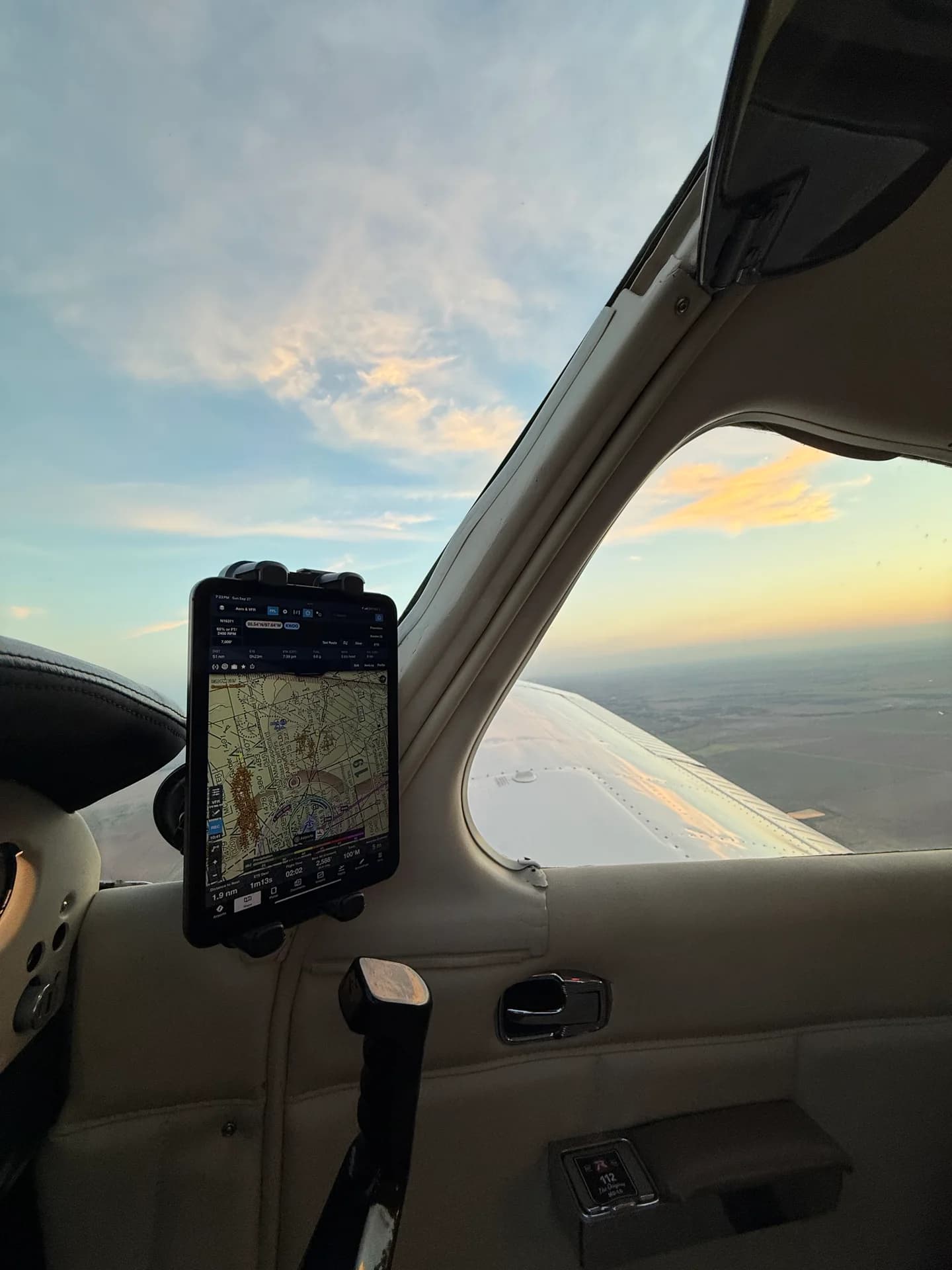
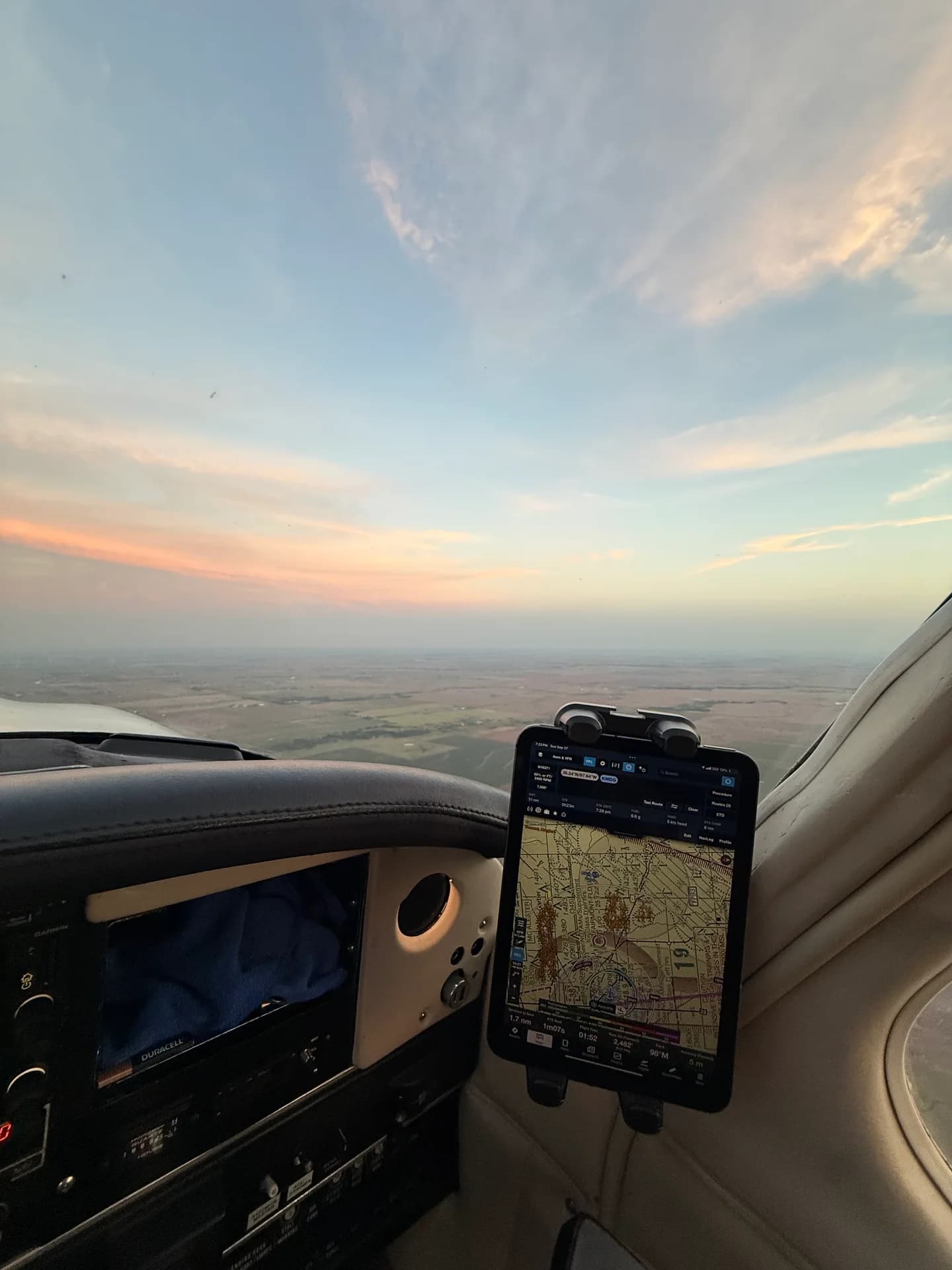
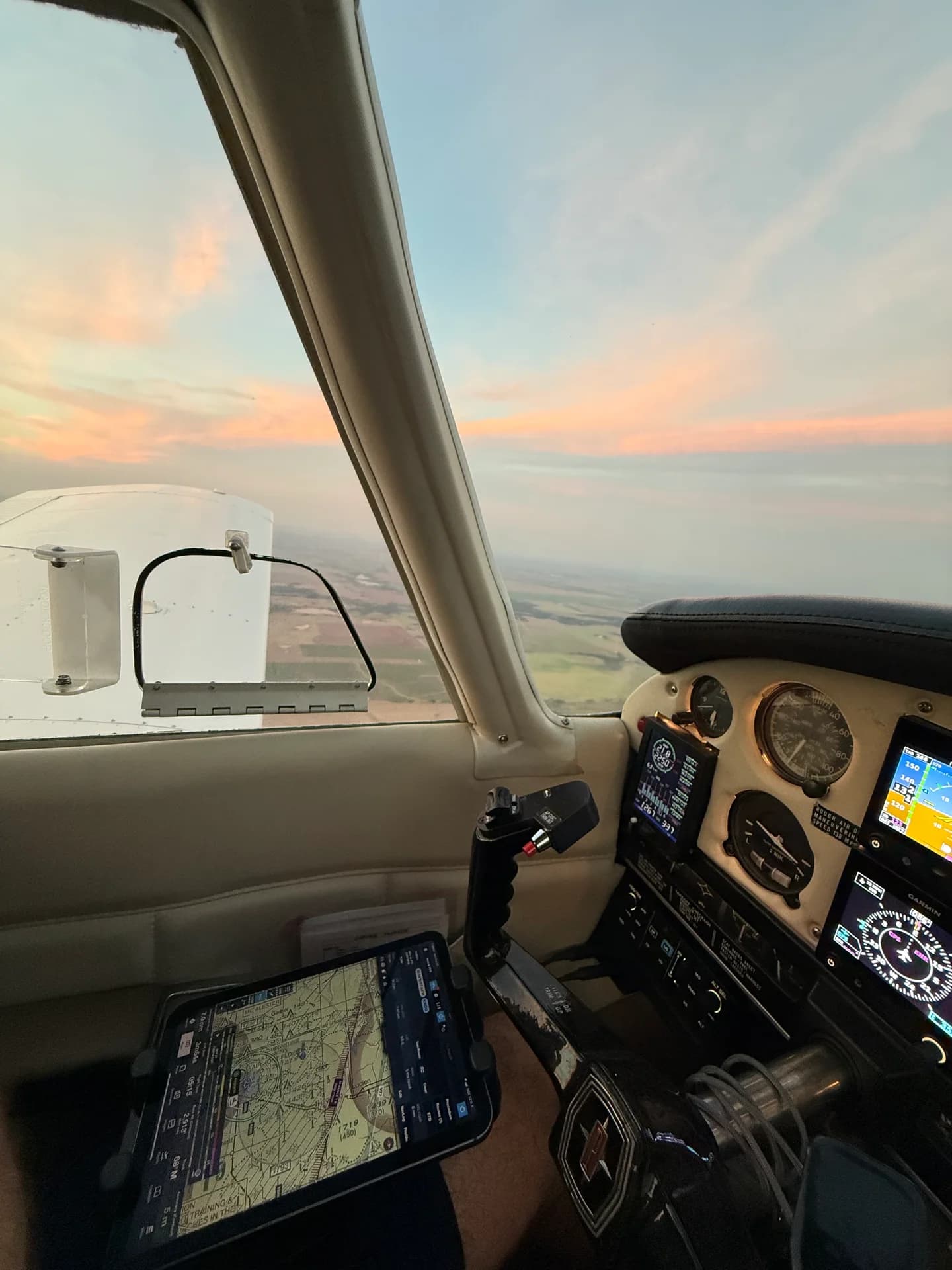
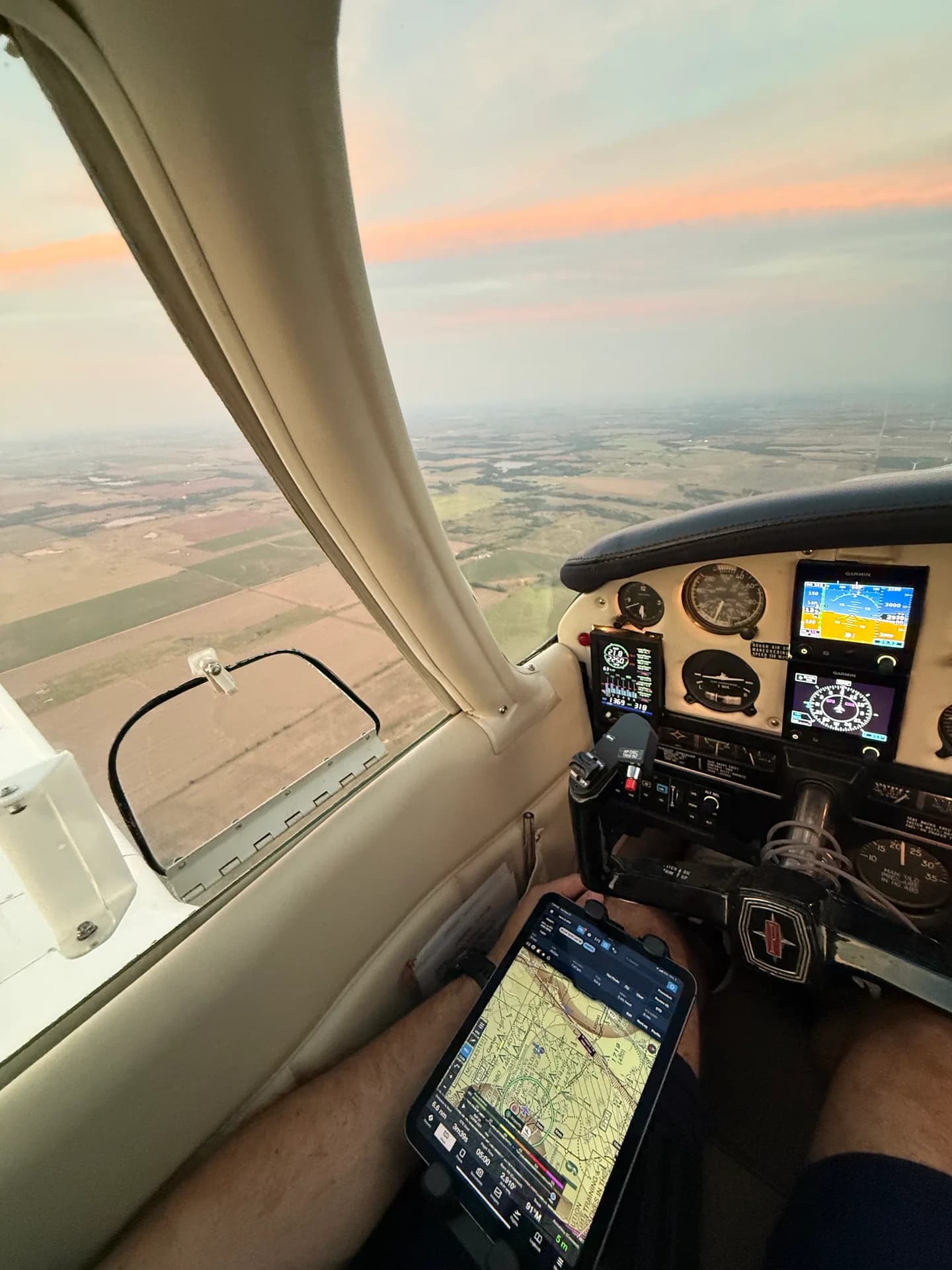
I used the suction mount with the spring-loaded holder, positioning the iPad vertically beside the side window. The photos show it from the seat and from the side, including the suction cup behind the tablet.
This is the option I would recommend looking at if you prefer the tablet beside the panel and want to keep it off both the yoke and your lap. The portrait arrangement shown here places the screen beside the instruments rather than in front of them.
The available window area and the view outside will determine whether that position makes sense in a particular airplane. The attachment surface must also be suitable for the suction cup and permitted by the applicable aircraft and mount instructions. The arm and tablet take up space beyond the cup itself.

Leg strap
The leg strap uses the same spring-loaded style of holder as the suction mount in my photos. It puts the iPad on the thigh, with adjustment at the connection between the strap and holder. I liked having this option alongside the window and yoke mounts.
For pilots who prefer a kneeboard position, this keeps the tablet on the lap without attaching anything to the window or control column. It also leaves the window area available for the outside view.
I’d like to see an optional thinner connection between the leg strap and holder for a little more yoke clearance. That would be a useful refinement; I expect the current arrangement to work well for many users, depending on their seating position, tablet, and cockpit. Clearance with the controls remains worth checking before use.
Tablet holders
The spring-loaded holders grip the upper and lower edges of the tablet, as shown in the suction-mount and leg-strap photos. I appreciated being able to adjust them for different device sizes.
FlightPro also offers a magnetic holder, so the holder supplied with a particular package matters. My comments about the spring-loaded holder apply to the suction and leg-strap configurations shown here. Tablet dimensions with the case fitted, button access, and charging-port access are more useful buying details than screen size alone.
Aircraft compatibility
Mounting preferences and cockpit layout go together. A position that works well beside one panel may be less useful in another airplane. The tablet, arm, and charging cable need to leave the controls, instruments, outside view, and exits accessible. Yoke mounting also places additional mass on a flight control.
These considerations apply to the complete setup. FAA AC 20-173 discusses installed EFB components and mounting considerations; the ability to attach a mount does not by itself establish installation approval.
Source: FAA AC 20-173, section 5: installed EFB mounting considerations
Ordering
I recommend the ProAviator system for pilots who want a choice of mounting positions and an adjustable tablet holder. The modularity worked well in my use, and the suction, leg-strap, and yoke options give the product line a practical range of configurations.
The three-in-one set is worth considering if you expect to use more than one position. If you already know you want the tablet on the window, yoke, or lap, an individual mount may be the more sensible purchase. The exact holder, base, arm, and any adapters included in the package are worth confirming before ordering.
FlightPro supplied the equipment for this review. Code FLYHDG360 provides the affiliate discount described below, and I earn a commission on eligible purchases using it.
15% off eligible FlightPro orders
Enter FLYHDG360 at checkout. The code attributes the purchase to FlyHdg360; visiting this product link alone does not.
15% off eligible orders with FLYHDG360. Confirm the discount shown at checkout before payment; additional product exclusions and discount-combination rules have not been specified to FlyHdg360.
FlyHdg360 earns a commission on eligible purchases using this code.
Shop ProAviator at FlightPro